
Some AI tools faithfully render what a student draws. Others quietly correct their work toward the norm. In creative subjects, that distinction matters more than almost any school procurement process currently acknowledges.
Earlier this year I had the privilege of interviewing some of the leading educators, researchers and builders working at the intersection of AI and education. These blogs are my attempt to do justice to those conversations and make them useful for schools right now.
When schools think about AI tools, they tend to ask two questions. Is it safe? And is it accurate?
These are the right questions to start with. But in creative subjects there is a third question, and a Design and Technology teacher I interviewed has a name for it: creative fidelity. It goes to the heart of what creative education is actually for.
Does this tool preserve what the student was trying to make?
The table with three legs
At AIDUCATION26 in Bucharest, I spoke with Trudi Barrow, a Design and Technology educator, CLEAPSS adviser, and one of the authors of the DfE's Safe and Effective Use of AI in Education materials. Winner of the 2022 James Dyson Association Excellence Award for an Outstanding D&T teacher, she is one of the leading voices on AI in design education specifically. She introduced me to a concept she calls creative fidelity, and it reframed the way I think about AI tool selection entirely.
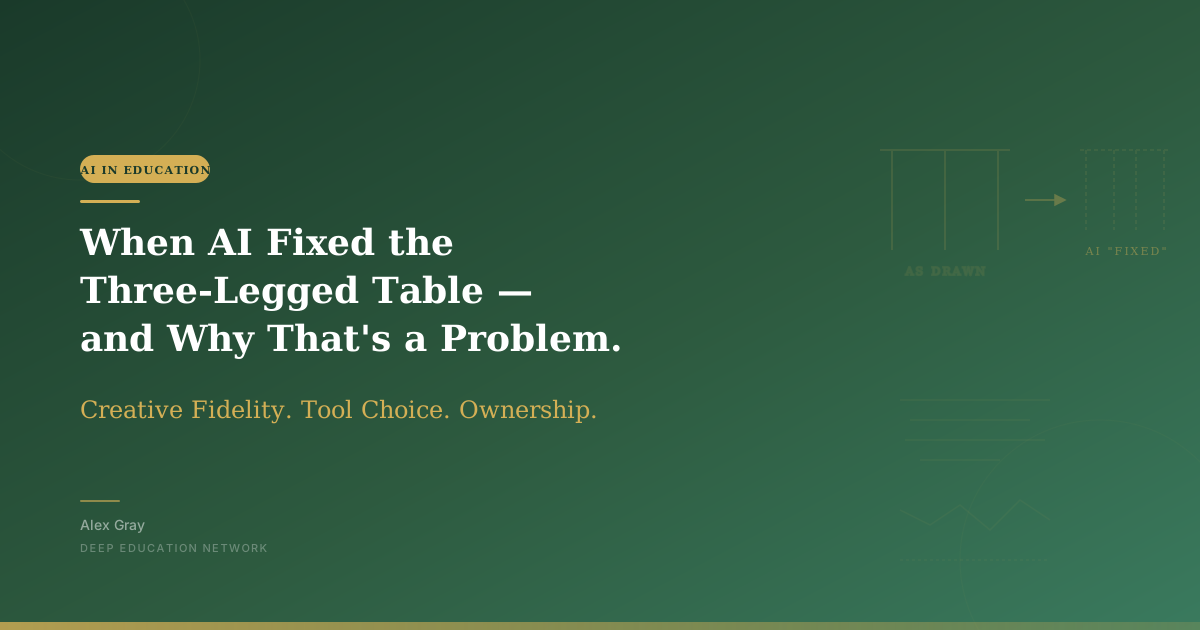
Here is the problem she described. A student designs a table with three legs. It is unconventional. It is theirs. They feed their sketch into an AI tool and ask it to render the design. Some tools will render exactly what the student drew: three legs, as intended, faithful to the original idea. Other tools will quietly add a fourth leg. Not because the student asked for it. Because the tool has been trained on thousands of images of tables, and tables have four legs, and four legs is what the model has learned is correct.
The output looks more polished. It looks more like a table. It looks, in other words, like everything else.
The student's idea has been corrected toward the norm without anyone saying so.
Trudi extended this to fashion design. A student designing an asymmetrical dress might find that certain AI rendering tools straighten the hemline. Not because they want it straightened. Because the model has decided, based on its training data, that hemlines should be straight.
This is not a malfunction. It is the tool working as designed. The problem is that the tool's definition of correct and the student's creative intent are not the same thing. And in a creative education context, the student's intent is the point.
What creative fidelity actually means
Trudi's definition of creative fidelity is precise. It is about the ownership of the idea. Using AI to visualise, to speed up parts of the design process, to prototype more quickly: all of that is entirely appropriate. But the moment the tool starts making creative decisions that belong to the student, something important has been lost.
This matters because the creative journey is not a side effect of the learning. It is the learning. When a student designs something unconventional, iterates on it, defends it, refines it, and sees it through to a finished piece, they are developing precisely the capabilities that creative education exists to build: original thinking, tolerance for ambiguity, the confidence to pursue an idea that does not conform.
When an AI tool quietly corrects their work toward the conventional, it is not helping them get there faster. It is routing them around the journey entirely.
The research supports this concern. A 2025 study published in PMC found that AI-assisted creative output tends toward homogenisation due to what researchers call fixation bias, the tendency of models trained on existing content to reproduce the patterns that dominate their training data. A study from the University of South Carolina, Berkeley and Emerson College found that students who used AI for brainstorming experienced what they called a fixation of the mind: once they had seen the AI's ideas, they found it harder to generate their own. Research presented at the 2025 CHI Conference found that professional creative practitioners observed AI inadvertently standardising visual aesthetics, with one noting that AI generated images now all look the same, following the same rules.
This is not an argument against using AI in creative subjects. It is an argument for thinking carefully about which tools you choose and why.
The question schools are not asking at procurement
Most schools, when they evaluate an AI tool, are asking about data privacy, age appropriateness, cost, and ease of use. These are all valid considerations. But in creative subjects, there is an additional evaluation that needs to happen: what does this tool do to a student's original idea?
Some tools are designed to be loyal to the user's input. They render what they are given, preserving the outline, the structure, the intent. Others are designed to produce the most polished, most normalised, most aesthetically conventional output possible. For a professional designer who needs a finished product quickly, the second type might be just what they want. For a Year 9 student whose learning objective is to develop and defend an original creative idea, it is potentially counterproductive.
This distinction is almost never made in school AI procurement conversations. Tools are evaluated as categories rather than as specific instruments with specific effects on student work. A school might decide to approve AI image generation tools without ever asking whether those tools correct student sketches toward the norm or preserve them as drawn.
This is the kind of detail that rarely survives the first page of an AI policy but reshapes what actually happens in a classroom. Trudi's argument is that this distinction is as important as any other in a creative classroom. A tool that appears to help students produce better work might actually be producing more conventional work on the student's behalf, without the student or the teacher realising it has happened.
Aaron's Microsoft Forms moment
The other voice in this conversation was Aaron Patching, a computer science educator who approaches the tool question from a builder's perspective. He described a moment that I think every educator who creates their own resources will recognise.
He was building a polling tool using Canva Code for a workshop he was running. He designed it, got it working, and then stopped. Had he just built Microsoft Forms? he asked himself. Had he spent time and effort recreating something that already existed?
He put the tool back in. But his reasoning for doing so is worth unpacking. What Canva Code gave him that Microsoft Forms did not was iteration. He could refine the design through conversation with the tool. He could add and remove elements, change the visual feel, adjust the experience in ways that felt like his own. The process of building it, even if the end function was similar to something that already existed, gave him something that the existing tool could not: genuine ownership of what he had made.
This connects directly to what Trudi is describing. The value of the creative process is not only in the output. It is in the decisions made along the way, the choices that make the work yours rather than a variation of something the tool was going to produce anyway.
Aaron also made a point about learning through building that I think has implications well beyond creative subjects. His first project, he said, he barely understood what the code was doing. He was following instructions and hoping for the best. By the fifth or sixth project, he had a workflow. He knew what he needed to set up, where the problems usually appeared, what questions to ask. The capability did not arrive through instruction. It arrived through iteration.
This is how creative competence develops in design and technology classrooms. And it is exactly what gets bypassed when a tool makes the decisions that should belong to the student.
Why this matters for how we assess creativity
There is an assessment problem embedded in all of this that deserves more attention than it currently gets.
If a student submits a piece of creative work that has been partially corrected by an AI tool toward conventional standards, and that work is assessed against criteria that value technical execution, it may score well. The teacher sees a polished, technically accomplished piece of work. What the teacher cannot see is that the student's original idea was more interesting, more unconventional, and more genuinely theirs before the tool got involved.
A recent ScienceDirect study on student creativity found something revealing: lower-performing students linked their creative self-efficacy almost entirely to the availability of AI support, while higher-performing students described AI as something they could evaluate, adapt and extend in line with their own intentions. The students who were already confident in their creative abilities used AI to go further. The students who were less confident used AI as a substitute for their own judgment.
This suggests that without careful pedagogical design, AI in creative subjects may reinforce existing hierarchies rather than disrupt them. The students who most need to develop confidence in their own creative voice are the ones most likely to defer entirely to what the tool produces. It also sits uncomfortably alongside what students themselves have been telling us about AI in their classrooms: they notice, they judge, and they care far more about authorship than adults tend to assume.
What good practice looks like
Trudi's concept of creative fidelity gives teachers a practical lens for tool selection that goes beyond the standard safety and accuracy checklist.
Before introducing an AI tool into a creative classroom, it is worth asking: does this tool render what the student gives it, or does it correct toward the norm? Does it preserve the student's structural decisions, or does it impose its own? If a student designs something unconventional, does the tool honour that or fix it?
These questions will not always have easy answers. Some tools do both, depending on how they are prompted and what settings are applied. But the fact that the question is now being asked at all is a significant shift from the current procurement conversation, which tends to treat creative AI tools as interchangeable productivity aids.
Aaron's iterative building approach offers a parallel principle for teachers who are developing their own AI-assisted resources. Building something yourself, even something that already exists in a different form, gives you ownership and understanding that using an off-the-shelf tool does not. The process matters. The decisions made along the way matter. And what you end up with, even if the function is similar, is genuinely yours in a way that matters for how you use and adapt it.
The question behind the question
The three-legged table is a small example. But what it points to is a large question: when we introduce AI tools into creative education, are we expanding what students can make, or are we quietly narrowing the range of things they are allowed to imagine?
The tools that correct toward the norm are not doing something unusual. They are doing exactly what they were built to do. The question is whether what they were built to do is compatible with what creative education is trying to achieve.
Trudi's answer, and I think she is right, is that it depends entirely on the tool and how thoughtfully it has been chosen. Creative fidelity is not a feature that most tools advertise. It is a quality that teachers need to look for, test for, and make a deliberate choice about.
Because the student who designed a table with three legs had a reason. And that reason is worth preserving.
Frequently asked questions
What is creative fidelity? Creative fidelity is the degree to which an AI tool preserves the structure, decisions and intent of what a student has designed, rather than correcting it toward conventional norms. The term was coined by Design and Technology educator Trudi Barrow. A high-fidelity tool renders a three-legged table as three legs; a low-fidelity tool quietly adds a fourth because its training data says tables have four legs.
Why does creative fidelity matter in schools? In creative subjects the student's original idea is the learning outcome. When an AI tool normalises or polishes that idea without being asked, it can route the student around the very process of iteration, defence and refinement that creative education is designed to develop. Polished output is not the same as authentic learning.
How should schools evaluate AI tools for art, design and DT? Alongside standard safety, privacy and age-appropriateness checks, ask three additional questions: Does this tool render what the student gives it, or does it correct toward the norm? Does it preserve the student's structural decisions? If a student designs something unconventional, does it honour that or fix it? These questions rarely appear in current procurement conversations but matter as much as any other criterion in a creative classroom.
This blog is part of a series drawing on conversations from AIDUCATION26, a conference dedicated to AI in education held in Bucharest. If you want to understand where your school stands on AI readiness, the DEEP Education Network AI Literacy Audit is a good place to start: audit.deepeducationnetwork.com
Filed under

Stay in the Loop
Get practical insights about AI in education, new articles, and training updates delivered to your inbox.
No spam. Unsubscribe anytime.
Work With Alex
Looking for hands-on support with AI integration, curriculum design, or teacher professional development? Alex works with schools and organisations worldwide to build practical, evidence-informed approaches to education technology.